
How to do an SEO audit step by step (and what we found in 400 websites)
To do an SEO audit, review your website in this order: that it works and responds, that Google can crawl and index it, that it loads quickly on mobile, that each page has a correct title, description and headings, that the content answers the searches you care about, which links it receives and, if you have a local business, your Google Business Profile. With Search Console, PageSpeed Insights and a free crawler you can cover the basics. What matters is ending up with a list ordered by impact, not a report with 300 warnings.
1 / 9What an SEO audit is and what it should give you
How to do an SEO audit without getting lost in hundreds of warnings: in what order to review your website, with which free tools and how to decide what to fix first. So that it is not just theory, each step comes with what we found when we measured 400 business websites in Barcelona and the Maresme in October 2026: more than half of those with data failed the mobile speed test that Google measures.
What an SEO audit is and what it should give you
An SEO audit is a review of your website from Google's point of view: whether it can read it, whether it understands it, whether it considers it useful and whether other websites vouch for it.
What should come out of it is not a score from 1 to 100, but a list of problems with their solution and their priority.
Anyone can do a basic audit of their own website with free tools. The hard part is not finding errors, as the tools find hundreds, but knowing which ones matter in your case. That is what this guide is about.
If you would rather have a team do it, there is our SEO audit in Barcelona service.
What we found when we reviewed 400 websites in Barcelona and the Maresme
On 20 October 2026 we measured 400 randomly chosen business websites, 200 in Barcelona and 200 in the Maresme. These are the main results:
| What we measured | Result | Base |
|---|---|---|
| Fail Core Web Vitals on mobile | 54% (83 of 153) | Websites with real-user data |
| Take more than 2.5 s to show their main content (LCP) | 46% | Websites with real-user data |
| Fail on layout shifts (CLS) | 16% | Websites with real-user data |
| Fail on interaction response (INP) | 13% | Websites with real-user data |
| Link to a website that no longer works | 12% (48 of 400) | Whole sample |
| No meta description | 29% | 289 websites analysed with Lighthouse |
| Marked as non-indexable | 4.5% (13 of 289) | 289 websites analysed with Lighthouse |
The problem is almost always loading
Of the three metrics Google uses to measure the experience on a page, the one that fails most by far is loading: almost half of the websites take more than 2.5 seconds to show their main content to their real visitors. Interaction and layout shifts fail much less often.
 Real exampleSEES ProductionAn editorial online presence for a high-end audiovisual production company.+140% time on siteSee the project →
Barcelona and the Maresme: a difference we cannot confirm
61% of the Barcelona websites with data fail (48 of 79), as do 47% of those in the Maresme (35 of 74). With samples of that size the margin of error is around 8 points, so we cannot say that Barcelona websites do worse. What is clear is that the problem is widespread in both areas.
By sector
| Sector | Fail on mobile |
|---|---|
| Accommodation | 63% (17 of 27) |
| Restaurants and bars | 54% (29 of 54) |
| Retail | 45% (19 of 42) |
The figures by sector are only indicative: the samples are small. They show that no sector escapes, not a ranking.
Tools for doing an SEO audit
With these tools you can cover a basic SEO audit without paying anything. The paid ones mainly add data on competitors and links.
| Tool | What you use it for | Price |
|---|---|---|
| Google Search Console | Indexing, the searches you appear for, clicks, errors | Free |
| PageSpeed Insights | Core Web Vitals with real-user and lab data | Free |
| Lighthouse (in Chrome) | Performance and basic SEO of a page | Free |
| Screaming Frog SEO Spider | Crawling the whole website: titles, broken links, redirects | Free up to 500 URLs |
| Rich Results Test | Checking structured data | Free |
| Google Analytics 4 | Which pages bring visits and enquiries | Free |
| Semrush, Ahrefs and similar | Keywords, competitors and links | Paid |

According to its website, the free version of Screaming Frog crawls up to 500 URLs per crawl, more than enough for an SME's website. For larger websites or online shops you will need the paid licence.
SEO audit step by step
Order matters: there is no point polishing titles if Google cannot index the page. Go from what blocks to what improves.
1. Check that the website works
It seems obvious, but in our study 48 of 400 businesses (12%, 1 in 8) were still linking to a website that no longer worked: 23 in Barcelona and 25 in the Maresme. Open your website on your phone and on a computer, check that the domain and the certificate have not expired, and that your Google Business Profile and social media link to the correct address.
2. Crawling and indexing
In Search Console, open the page indexing report. Look for important pages under «Not indexed» and read the reason. In the study, 13 of 289 websites were marked as non-indexable, and we checked each case by hand.
The block may be in a «noindex» tag, in a server header or in robots.txt, so check all three. Also check that there is a sitemap and that redirects do not form chains. If your website is new and does not appear yet, read how long Google takes to index a website.
3. Mobile speed (Core Web Vitals)
Run your home page and your service pages through PageSpeed Insights. Look first at the real-user data block, if it appears; if not, at the lab data. Google considers a page to be performing well if it meets these three thresholds:
| Metric | What it measures | Pass |
|---|---|---|
| LCP | How long the main content takes to appear | 2.5 s or less |
| INP | How long it takes to respond when you tap something | 200 ms or less |
| CLS | How much the content moves while loading | 0.1 or less |
If you fail, start with images (file size and format) and with what the template loads without using it: sliders, fonts, third-party scripts. Often that is enough before thinking about rebuilding the website.
4. On-page SEO: titles, descriptions and headings
Crawl the website with Screaming Frog and export the titles, meta descriptions and H1s. Look for pages with no title or with duplicate titles, pages with no description (29% of the websites in the study had none) and pages with no H1 or several.
Every important page should have its own unique title, with the main search term at the start.
5. Content and keywords
In Search Console, look at which searches you appear for and with which page. Three things to look for: searches that matter for your business that you do not appear for, pages that compete with each other for the same search (cannibalisation) and services that do not have their own page.
This is what takes most work and brings most results. The order for fixing it is in how to rank your website on Google.
6. Links and authority
Search Console tells you which websites link to you (links report). Compare it with your direct competitors using a paid tool or, at least, by looking for places where they appear and you do not: associations, suppliers, local media. Also check for broken links within your own website.
7. Local SEO, if you serve an area
Review your Google Business Profile: main category, opening hours, photos, unanswered reviews, and that your name, address and phone number match your website. It is covered in detail in what local SEO is.
8. Prioritise
Put each problem in a table with two columns: impact (high, medium, low) and effort. Start with high impact and low effort. Anything that blocks indexing always comes first.
SEO audit checklist
To print or copy. If you can tick everything, your website is in better shape than most of the ones we measured.
- The website opens on mobile and desktop, with HTTPS and no server errors.
- Your Google Business Profile and social media link to the correct URL.
- Important pages are indexed in Search Console.
- No important page has «noindex» or is blocked in robots.txt.
- A sitemap has been submitted in Search Console.
- No redirect chains or broken internal links.
- LCP of 2.5 s or less on mobile.
- INP of 200 ms or less and CLS of 0.1 or less.
- Every page has a unique title and a meta description.
- One H1 per page, consistent with the title.
- Every important service has its own page.
- No two pages competing for the same search.
- Images compressed and with alt text.
- Structured data with no errors.
- Google Business Profile complete, verified and with the same details as the website.
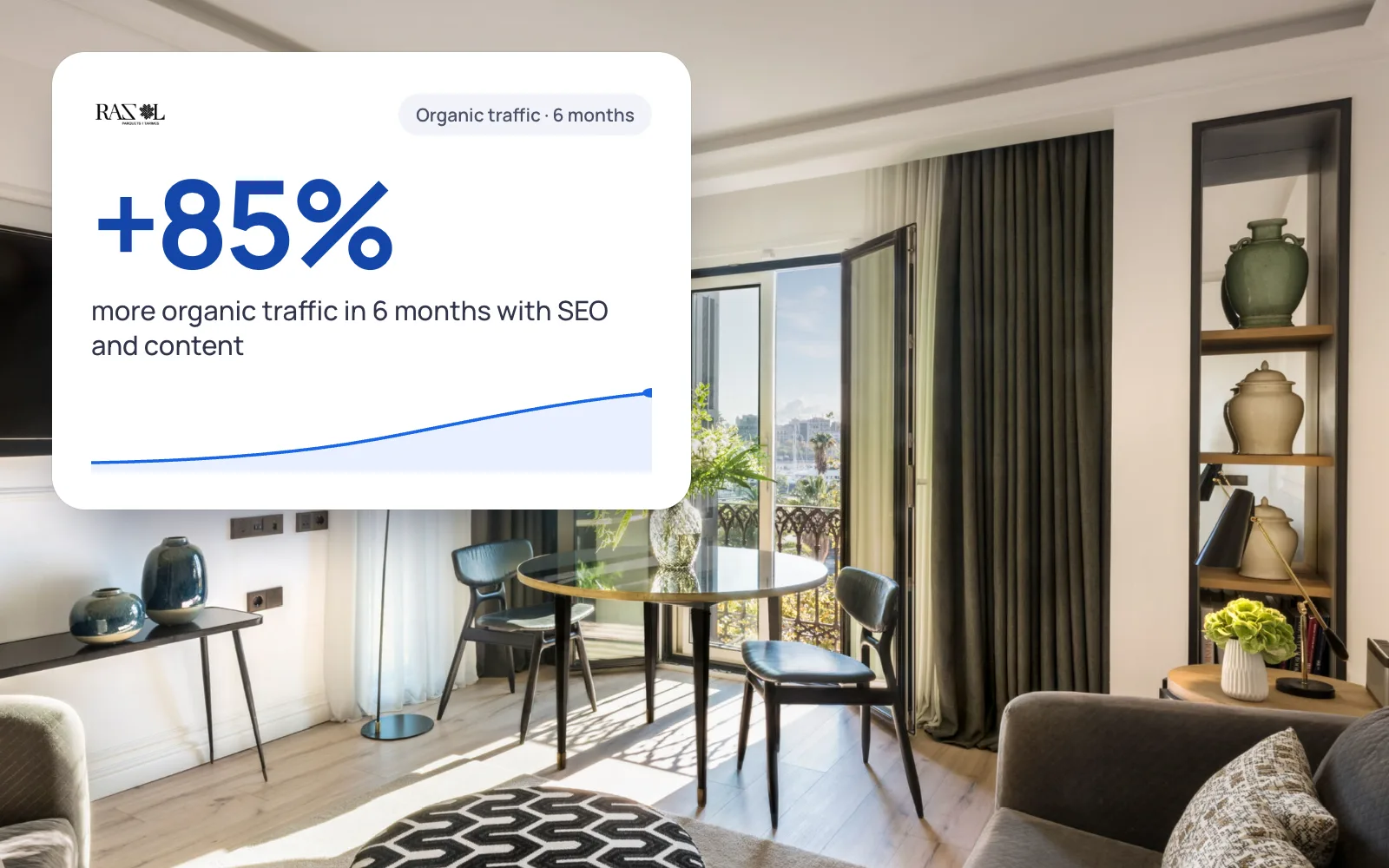 A real case+85%organic traffic in 6 monthsRazol Parquet · See the project →
SEO audit example: how it turns into a report
A made-up but typical example: a physiotherapy clinic in a Maresme town with a 12-page website. After following the steps, the list looks like this:
- High impact, low effortThe sports physiotherapy page has a «noindex» left over from development. It is removed and indexing is requested.
- High impact, low effortThe Google Business Profile links to the old domain. It is changed.
- Medium impact, low effortThe cover photo weighs several megabytes and the mobile LCP does not pass. It is compressed.
- Medium impact, medium effortAll the treatments are on a single page. Pages are created for the three that patients search for most.
- Low impactEight images with no alt text. Fixed when there is time.
What an SEO audit report should contain
- A one-page summary for the decision-maker: what is failing and what to fix first.
- The full list, with impact, effort and how to fix each point.
- The baseline data (clicks, positions, speed) to compare against in a few months.

If you are handed an 80-page PDF exported from a tool with no order to it, that is not an audit: it is a list. On our SEO audit page you will find an example of the format we deliver.
When to do it yourself and when to commission it
If your website is small and you have an afternoon, this guide will help you spot the big problems. It makes more sense to commission it when:
- You have lost traffic and do not know why.
- You are going to redesign the website or change domain and do not want to lose what ranks.
- You pay for SEO every month and want a second opinion backed by data.
- The tools flag hundreds of warnings and you do not know which ones matter.
At GNERAI the complete SEO audit is free, with an initial review first, and if we then make the fixes we quote them with a fixed proposal. The price compared with monthly SEO is in SEO prices.
And if the audit tells you the website has reached its limit, read the signs that your website needs a redesign before deciding.

Study methodology
- Sample: businesses with a website listed in OpenStreetMap, queried with the Overpass API. Chains, public bodies, educational and religious centres, social networks, booking platforms and duplicate domains were excluded. That left 2,625 candidates in Barcelona and 284 in the Maresme, and 200 per area were chosen at random with a fixed seed (20261020).
- Availability: 48 websites did not exist. 23 blocked robot access and 30 returned an error on the home page; these were excluded from the rest of the analysis.
- Core Web Vitals: field data from the Chrome User Experience Report (CrUX API), 75th percentile, mobile. Thresholds: LCP ≤ 2.5 s, INP ≤ 200 ms, CLS ≤ 0.1. Data is only available for websites with enough traffic (153).
- Technical audit: Lighthouse 12.8.2 in mobile configuration, performance and SEO categories, on 289 websites. The «non-indexable» cases were checked by hand.
- Limitations: OpenStreetMap does not include every business and CrUX only has data for websites with enough traffic. We do not publish lab scores because they depend on the device and network used for measuring.

Map data © OpenStreetMap contributors, ODbL licence.
You can download the study's aggregated data: velocidad-webs-barcelona-maresme-2026.csv.
We'll send you our next SEO guide
What's changing in Google and what works for our clients, explained for small businesses. No spam.
Guides for your business, in your inbox
What we publish on websites, SEO, ads and AI for small businesses. No spam, unsubscribe in one click.
Frequently asked questions
What is an SEO audit?
It is a review of your website from Google's point of view: whether it can crawl and index it, whether it loads quickly, whether each page answers a search and whether other websites link to it. The result should be a list of problems ordered by impact, with how to fix each one.
Can I do an SEO audit for free?
Yes, a basic one. With Google Search Console, PageSpeed Insights and the free version of Screaming Frog (up to 500 URLs) you cover indexing, speed and on-page SEO. What they do not give you is the judgement to decide what matters most, or competitor analysis.
How long does an SEO audit take?
A basic one for a small website takes an afternoon following this guide. A complete one with competitors and links usually takes between one and two weeks. What takes most time is not running the tools, it is analysing the data and prioritising.
How often should you do an SEO audit?
A complete one a year is usually enough for a website that does not change much. It is also worth always doing one before a redesign or a change of domain, and after a drop in traffic you cannot explain. Search Console is worth checking every month.
What are Core Web Vitals?
They are three Google metrics on the experience of a page: LCP (how long the main content takes to appear, a pass at 2.5 s or less), INP (how long it takes to respond, 200 ms or less) and CLS (how much it moves while loading, 0.1 or less). You can measure them for free with PageSpeed Insights.
What percentage of websites fail Core Web Vitals?
In our October 2026 study, 54% of business websites in Barcelona and the Maresme with real-user data (83 of 153) failed on mobile. The most common failure was loading: 46% took more than 2.5 seconds to show their main content.
How much does a professional SEO audit cost?
At GNERAI it is free, with an initial review to see whether you really need it. If we then make the fixes, we quote them with a fixed proposal.
Further reading
Shall we look at your website for free?
Ask for the free website audit and within 24 hours we will tell you whether your website fails on mobile, whether Google indexes it properly and what we would fix first.