
How to rank a website on Google: a step-by-step guide for SMEs
To rank your website on Google, first make sure Google can index it (Search Console tells you). Then choose specific searches you can win, create a page that answers better than the ones already showing, look after the title, headings and mobile speed, and get links and mentions from relevant websites. If you serve a local area, work on your Google Business Profile too. Expect months, not weeks, and measure every step.
1 / 12Before you start: ranking is a process with an order
Learning how to rank a website on Google is not about tricks, it is about order. If you skip the first steps, whatever you do afterwards delivers half as much. In this guide you have the steps in the order we do them, what you can do yourself without spending anything and at what point it makes sense to ask for help.
Before you start: ranking is a process with an order
Many people start at the end: they write articles, buy links or change the design, and nothing happens. It is almost always because something earlier is failing. A page that Google does not index does not rank, however good its links.
And an indexed page that does not answer what people are searching for does not rank either.
That is why this guide goes in order. Each step builds on the one before. If this is your first time and you are not clear what each thing is, start with what SEO is and how it works.
| Step | What you do | You can do it yourself |
|---|---|---|
| 0 | Set up measurement | Yes, in an afternoon |
| 1 | Check that Google indexes you | Yes |
| 2 | Choose the searches you can win | Yes, with some time |
| 3 | Create a page for each search | Yes, if you write well |
| 4 | Fine-tune the on-page SEO | Yes |
| 5 | Speed and technical aspects | Depends on your website |
| 6 | Local SEO, if you serve an area | Yes |
| 7 | Authority: links and mentions | Little by little |
| 8 | Measure and repeat | Yes, every month |
 Real exampleSEES ProductionAn editorial online presence for a high-end audiovisual production company.+140% time on siteSee the project →
Step 0: measure from day one
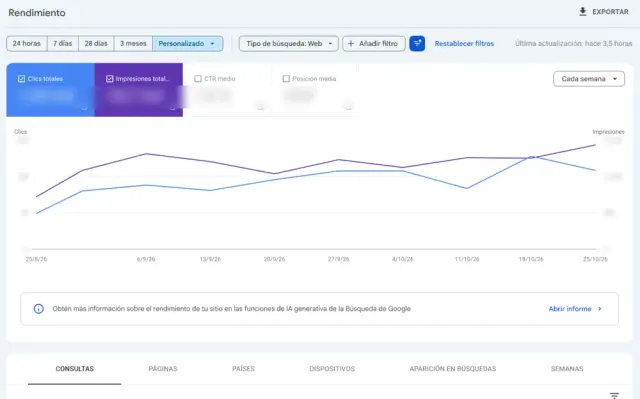
Before touching anything, register your website in Google Search Console (free). It is the only tool that tells you what Google really sees: which pages it has indexed, which searches you appear for, at what average position and how many clicks you get. If you also have Google Analytics 4, you will know what those visitors do on the website.
Note down today’s numbers: clicks per month, impressions and the ten searches that bring you the most. Without that starting point, in three months’ time you will not know whether what you have done has worked.
Step 1: make sure Google can find and index your website
In Search Console, the page indexing report tells you which URLs are on Google and which are not, and why. The basics to check:
- That the robots.txt file does not block important pages.
- That no page you want to rank has a forgotten ‘noindex’ tag (this happens a lot after launching a new website).
- That there is a sitemap.xml and it has been submitted in Search Console.
- That each piece of content has a single URL, with no duplicate versions with and without ‘www’ or with and without a trailing slash.
This is no minor detail: of the 289 business websites we analysed with Lighthouse for our 2026 study, 13 were marked so that Google would not index them. Timescales and tricks to speed up indexing are in how long Google takes to index a website.
Step 2: choose searches you can win
The most common mistake when trying to rank a website on Google is targeting searches that are too generic. ‘Lawyer’ or ‘renovations’ are fought over by national portals with years of head start. A small business wins sooner with more specific searches, which also tend to have more purchase intent.
| Generic search | Achievable search | Why the second one |
|---|---|---|
| renovations | bathroom renovation in Mataró | Specific area and service; the person searching wants a quote |
| lawyer | inheritance lawyer in Badalona | Less competition and a client with a real problem |
| physiotherapy | sports physiotherapy Vilassar de Mar | It fits what you do and where you do it |
| parquet | parquet installation price | Clear intent: they are deciding and comparing |
How to find those searches without paying for tools
- Search Console: searches you already appear for in positions 8 to 20. They are the easiest to move up.
- Google itself: what the search engine suggests as you type and the ‘People also ask’ box.
- Your customers: the exact words they use when they call or write to you.
- The Google Ads Keyword Planner, which gives indicative volumes with a free account.
Sort the list by two criteria: how much you want the customer searching for that, and what real chance you have of appearing. Start with the ones that score high on both.
Step 3: a page that answers better than the ones already showing
Search Google for each of your chosen searches and look at the top five results. They tell you what people expect: if service pages come up, Google understands that they want to hire; if guides come up, that they want information; if a map comes up, that they are looking for something nearby.

Your page has to fit that format and offer something the others do not: indicative prices, real timescales, photos of completed work, answers to common questions. One page per important search. If you offer five services and have them all on one ‘Services’ page, Google does not know which one to show you for.
Ranking your website on Google if it is new
A newly published website has no history or links, so it finds it harder to compete. Start with the most specific and local searches, publish the service pages before the blog and do not expect results in the first few weeks.
If you have not built it yet, you have the steps in how to create a website.
Step 4: on-page SEO, page by page
Once the page is written, check these points. They do not work miracles on their own, but together they tell Google unambiguously what each page is about:

- A unique title (title tag), with the main search at the start and your business name at the end.
- A meta description that invites the click: what you offer and why you. In our study, 29% of business websites had none at all.
- One H1 that says the same as the title in similar words, and H2 and H3 headings that structure the text.
- A short, readable URL, for example /bathroom-renovation-mataro.
- Alt text on images that describes what can be seen.
- Internal links from other pages on your website with text that describes the destination, not ‘click here’.
- Local business structured data if you have premises or serve an area.
Do not stuff your texts with keywords. Google considers it spam and, on top of that, the person reading leaves. Write for your customer and use their words naturally.

Step 5: speed and technical aspects
Measure your website with PageSpeed Insights, which is free and made by Google. Look above all at the mobile result and at the real-user data if it appears. Google considers a page to be performing well if it shows its main content in 2.5 seconds or less.
In our study of 400 websites in Barcelona and the Maresme, 54% of those with data failed Google’s mobile speed measurement, and almost always for the same reason: loading. Before rebuilding anything, start by compressing the images and removing whatever the template loads without using.
How to check it step by step is in how to do an SEO audit.
Ranking a WordPress website on Google
WordPress ranks well if it is set up properly. The problems we see most: too many plugins, heavy templates, tag and archive pages indexed by accident and the ‘discourage search engines’ box left ticked from development.
If you are torn between staying with WordPress or moving to a custom-built website, we compare them in WordPress or custom development.
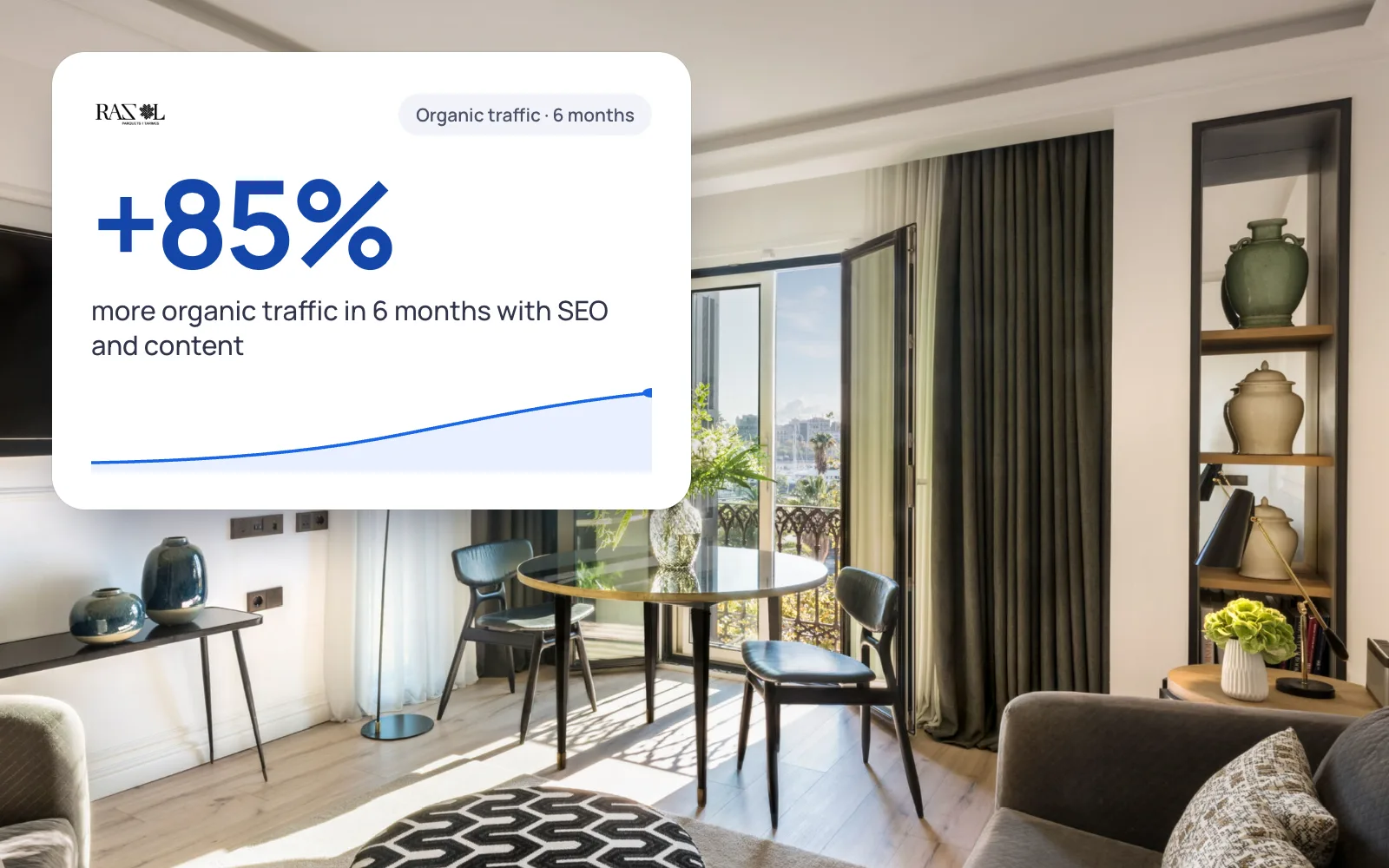 A real case+85%organic traffic in 6 monthsRazol Parquet · See the project →
Step 6: if you serve an area, the map comes first
If your customer searches nearby (‘dentist in Mataró’, ‘garage near me’), Google shows a map with three businesses before the normal results. To appear there, what matters most is your Google Business Profile, your reviews and your details matching everywhere.
It is free and you can do it yourself. It is explained step by step in what local SEO is and how to use Google Business Profile.
Step 7: authority, links and mentions
When two pages answer equally well, the one with more backing from other websites usually wins. For a small business, the easiest and healthiest links are the ones it is already entitled to through its activity:

- Associations in your sector, trade guilds and professional bodies.
- Suppliers and brands you work with, which have a page listing distributors or installers.
- Local media and websites in your town when you do something newsworthy.
- Sponsorship of local teams or events.
- Serious directories in your sector (not directory farms).
Buying links to climb positions goes against Google’s policies and can sink the website. Better a few good ones than many from websites nobody visits.
Step 8: measure, adjust and repeat
Google’s guide says that a change can take anything from hours to months to be reflected and that it is best to wait a few weeks before judging it. Check Search Console once a month, not every day. What we look at:

- Searches that move from the second page to the first.
- Pages with many impressions and few clicks: the title and description need improving.
- New pages that are not indexed after several weeks.
- Enquiries arriving from Google, which is what really matters.
Ranking my small business: a 90-day plan
| When | What to do |
|---|---|
| Week 1 | Search Console and Analytics, indexing review and list of searches |
| Weeks 2 to 4 | Technical fixes, titles and descriptions for the pages that already exist |
| Month 2 | New pages for the services that do not have their own; complete Google profile |
| Month 3 | First links and reviews; review of results and next list |
How to get your website to the top of Google (and what nobody can promise you)
Following these steps does not guarantee you first place. Google does not guarantee it to anyone and states in its documentation that it does not accept payment to rank better. What you do achieve is no longer losing visits through avoidable mistakes and competing properly for the searches you care about.
For competitive searches, climbing usually takes between 3 and 6 months. At Razol Parquet, for example, organic traffic rose by 85% in 6 months after working on the website and the SEO. Every sector and every website starts from a different place.
When it makes sense to ask for help
- You have been doing this for months and see no movement in Search Console.
- You cannot make the technical changes to your website yourself.
- You compete in a very hard-fought sector in Barcelona.
- You have rebuilt the website and lost visits.
If any of these applies to you, an SEO audit (free) tells you what is failing and in what order to fix it. If you would rather delegate everything, at our SEO agency in Barcelona we work on rankings from €150/month, with no tie-in.
We'll send you our next SEO guide
What's changing in Google and what works for our clients, explained for small businesses. No spam.
Guides for your business, in your inbox
What we publish on websites, SEO, ads and AI for small businesses. No spam, unsubscribe in one click.
Frequently asked questions
How do I rank my website on Google?
In order: check in Search Console that Google indexes it, choose specific searches you can win, create a page that answers each one, look after the title, headings and mobile speed, work on your Google profile if you serve an area and get links from relevant websites. And measure every month.
How do I rank my website on Google for free?
Almost all the basics can be done without spending: Search Console, PageSpeed Insights and Google Business Profile are free. What it costs is time: writing good service pages, reviewing the technical side and getting links and reviews. If you do not have that time, then paying is worth it.
How do I get my website to the top of Google?
Nobody can guarantee it. What brings you closest to the top spots is choosing specific searches where you can compete, having the page that best answers each one, a fast and indexable website and authority from other websites. For competitive searches, it usually takes between 3 and 6 months.
How do I improve my website’s ranking on Google?
Start with Search Console: look for pages that already appear between positions 8 and 20 and improve them, because they are the ones that climb soonest. Review the titles and descriptions of pages with many impressions and few clicks, and fix whatever is slowing down mobile speed.
How long does a new website take to rank?
Being indexed can take from days to weeks. Ranking for competitive searches usually takes months. A new website without links or history moves more slowly, so it is best to start with specific, local searches, where there is less competition.
How much does it cost to rank a website on Google?
If you do it yourself, only time. If you delegate it, at GNERAI SEO starts at €150/month with no tie-in, and the audit is free. The final price depends on the size of the website and how competitive your sector is. You will find it in SEO prices.
Is blogging any use for ranking?
Yes, if the articles answer your customers’ real questions and link to your service pages. Publishing for the sake of it is no use. If your services do not yet have their own page, create those pages before the blog.
Further reading
Where would you start with your website?
Request the free SEO audit and within 24 hours we tell you which step you are missing and what we would fix first.