
On-page SEO: a complete guide and checklist to optimise every page
On-page SEO is the optimisation of each page of your website for a specific search: a unique title with the keyword at the start, a meta description that invites the click, a clear H1, text that answers what the searcher wants, descriptive internal links, lightweight images with alt text and structured data. All on a website that is fast on mobile.
1 / 15What on-page SEO is and what it is not
On-page SEO is what you do within each page of your website so that Google understands what it is about and shows it to the people searching for it: the title, the description, the headings, the text, the links and the images. This guide goes point by point, with examples from businesses in Barcelona and the Maresme, and ends with a checklist you can apply to your website today.
What on-page SEO is and what it is not
On-page SEO works on what you control on each page: what it says, how it says it and how it is tagged. It is often confused with technical SEO, which makes sure Google can crawl and index the whole website, and with off-page SEO, what happens outside: links, mentions and reviews, which we explain in what off-page SEO is.
The overview is in what SEO is and how it works; here we get practical.
| Part | Worked on | Example |
|---|---|---|
| On-page SEO | Each page | Rewriting the title of the bathroom renovation page |
| Technical SEO | The whole website | Removing a “noindex” that blocks the blog |
| Off-page SEO | Outside your website | Getting a link from the local traders’ association |
Before you touch anything: one page for each search
Everything starts with one decision: which search you want to win with each page. If a page goes after “sports physiotherapy”, “pilates” and “osteopathy” at the same time, it will win none of them.
If two of your pages go after the same search, they compete with each other: that is cannibalisation.
Once you have chosen the keyword, look at what Google shows for it today. It tells you what people expect: the search intent.
| Search | What the person wants | What page you need |
|---|---|---|
| “how to get rid of damp on a wall” | To learn | A guide with steps |
| “best motorbike garage Mataró” | To compare | A page with reviews, prices and differences |
| “bathroom renovation price Badalona” | To hire | A service page with guide prices and contact details |
If the top ten results are all guides, a sales page will struggle however much you optimise the title.
The title: the line that matters most
The title is the heading that usually appears in blue in the results. It is the first thing the searcher reads and one of the clearest clues for Google.
- Unique on each page. Two pages with the same title tell Google they are about the same thing.
- The main search at the start and the business name at the end.
- Short. There is no official limit, but beyond about 60 characters Google usually cuts it off.
- Written for people. It should make people want to click, without repeating the keyword three times.
| Weak | Better |
|---|---|
| Home | Physiotherapy in Mataró with an appointment within 24 h | Your Clinic |
| Services - Reformas Pérez | Bathroom renovation in Badalona: price and timescales | Pérez |
| Dentist, cheap dentist, dentist Mataró | Dentist in Mataró: first visit free | Your Dental Clinic |
Google generates the result title automatically: it usually uses yours, but it may replace it with the H1 or other text if it thinks that describes the page better. That is why your title and H1 should go hand in hand.

The meta description: the advert for your result
It is the short text that may appear below the title. It does not raise rankings by itself, but it decides a lot of clicks. In our study of 400 business websites in Barcelona and the Maresme, 29% had none at all.
- A different one on each page, of 120 to 155 characters.
- What you offer, for whom and a reason to choose you: price, timescale, area, guarantee.
- With the keyword used naturally: Google highlights it when it matches the search.
H1 and H2 and H3 headings
The H1 is the visible title of the page and the H2s and H3s are its sections. They help Google understand the structure, and readers jump to what interests them.
- One H1 per page, saying the same as the title in similar words.
- An H2 for each important section. If someone read only the H2s, they should understand what the page is about.
- H3s inside an H2, never on their own.
- Headings that say something. “Bathroom renovation prices in Badalona” informs; “Our services” does not.
A mistake we see a lot in WordPress themes: the logo marked as the H1 on every page and the real title as bold text. It can be fixed in no time.
Content that answers the search
It is what matters most and what is most neglected. Google asks for content made for people, not for search engines: whoever arrives should find what they were looking for without going back.

- The answer at the top. If the search is about price, the price or a range in the first few paragraphs.
- What nobody else tells: photos of your work, real timescales, what is included and what is not.
- Your customers’ vocabulary. Synonyms and related terms, not the same word repeated.
- Your area, if you work in a specific place: the neighbourhoods or towns where you genuinely provide a service.
- A clear next step: call, request a quote, book.
There is no magic number of words. A service page for a locksmith in Vilassar can work with 500 useful words; a price guide will need more. What Google does penalise in its spam policies is stuffing the text with keywords until it no longer reads naturally.
URL: short, readable and stable
Google recommends simple URLs, with words that describe the content, separated by hyphens. /bathroom-renovation-badalona is better than /services?id=37 or /complete-bathroom-renovation-in-badalona-and-surrounding-areas-2026.
If a page already ranks, do not change its URL without a 301 redirect from the old one to the new one.
Internal linking: how strength is shared within your website
Links between your pages help Google discover them and know which ones matter. A page that no other page links to is almost invisible.
- Descriptive link text. “bathroom renovation in Badalona”, not “click here”. Google uses that text to understand the destination page.
- From guides to services. If you write about how to get rid of damp, link to your waterproofing page.
- Your key pages a few clicks from the home page, not hidden behind four menus.
- No broken links. Check them every time you delete or move a page.
Images: lightweight and well described
Images count in two ways: what they tell Google and how much they weigh.
- Alternative text (alt) that describes what is shown: “renovated bathroom with a built-in shower tray in Badalona”, not “img_0034” or a list of keywords.
- A readable file name, for example bathroom-renovation-badalona.webp.
- Weight and format. WebP or AVIF, at the size they will be displayed. A 4 MB photo taken on a phone sinks your speed.
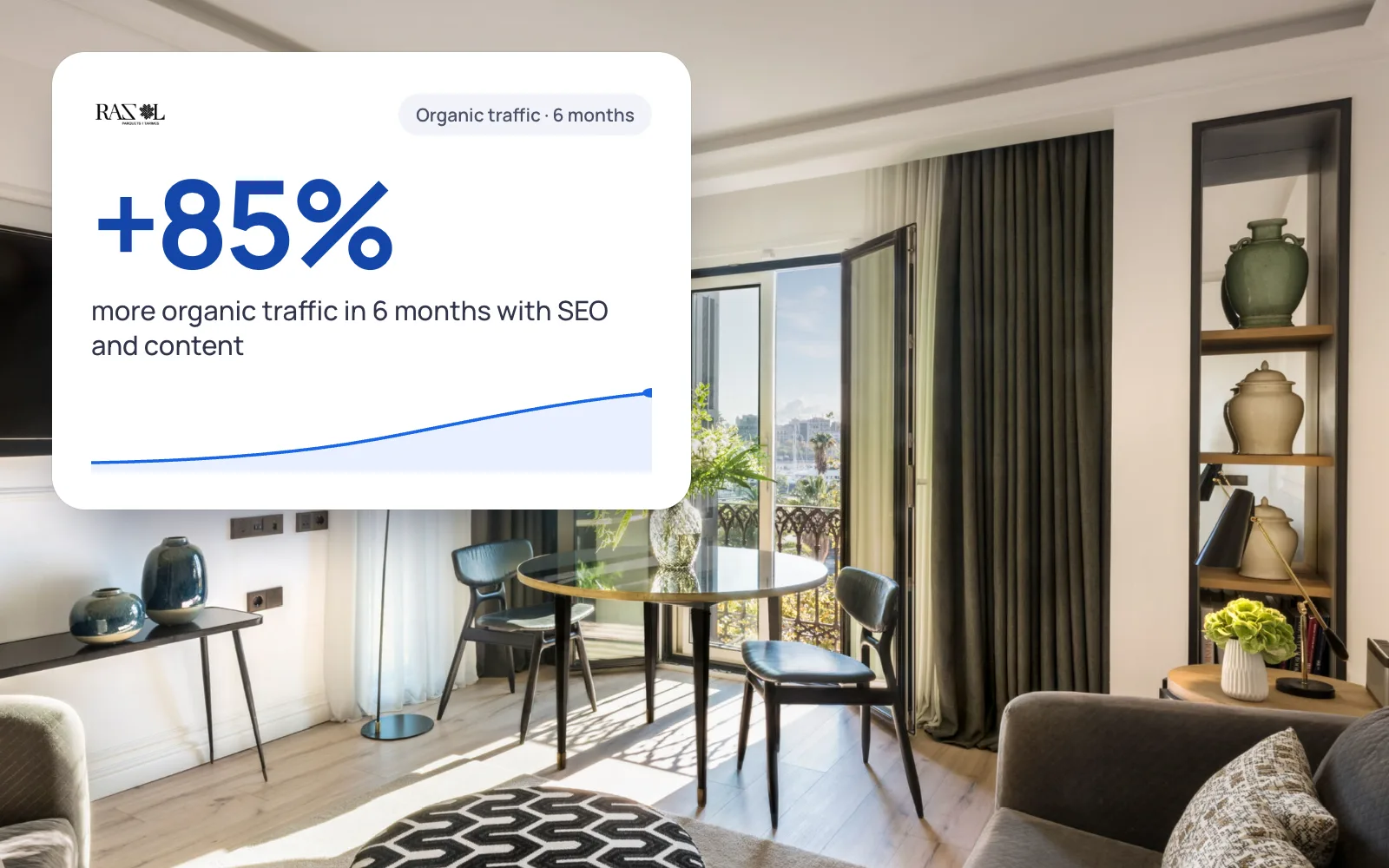 A real case+85%organic traffic in 6 monthsRazol Parquet · See the project →
Structured data: telling Google what each thing is
It is code, usually in JSON-LD format, that describes the page without Google having to interpret it: this is a local business with this address and these opening hours, this is an article by this author.
| Type | For which page |
|---|---|
| LocalBusiness | Home or contact page of a business with premises or a service area |
| Article | Blog posts and guides |
| Product | Product pages in an online shop |
| BreadcrumbList | The breadcrumbs on any page |
Check them with Google’s Rich Results Test. Google warns that having them right does not guarantee rich results: they help it understand you.
Speed and mobile: the technical foundation
This is already technical SEO, but without this foundation on-page performs less well. Google indexes the mobile version of your website and measures the experience with three metrics, the Core Web Vitals:
| Metric | What it measures | Pass |
|---|---|---|
| LCP | How long the main content takes to appear | 2.5 s or less |
| INP | How long it takes to respond when you tap something | 200 ms or less |
| CLS | How much the content shifts while loading | 0.1 or less |
In our study, 54% of the websites with data failed on mobile, almost always because of loading. Measure your pages with PageSpeed Insights; the rest of the technical review is in how to do an SEO audit.
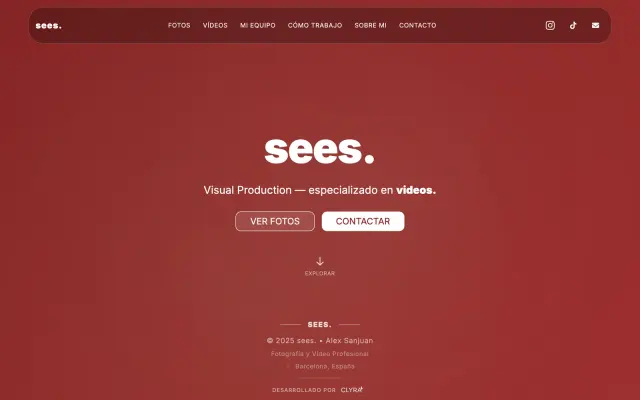 Real exampleSEES ProductionAn editorial online presence for a high-end audiovisual production company.+140% time on siteSee the project →
Common on-page SEO mistakes
- The same title on every page, usually the company name.
- A single “Services” page with everything in a list.
- Near-identical pages for each town: Google considers them doorway pages.
- Optimising and forgetting about it. A page with prices from three years ago loses the reader’s trust.
On-page SEO checklist
Run it on every important page: home, services and the guides that bring the most visits.
- The page has one main search and no other page of yours goes after the same one.
- The type of page matches what Google shows for that search.
- A unique title, with the search at the start and about 60 characters at most.
- A unique meta description, of 120 to 155 characters, with a reason to click.
- An H1 consistent with the title and H2s that summarise the page.
- The answer to the search is in the first few paragraphs.
- The text adds something of its own: photos, prices, timescales, experience.
- A short URL, in lower case and with hyphens.
- At least two internal links pointing to the page, with descriptive text.
- Images in WebP or AVIF, with descriptive alt text.
- Structured data of the right type, with no errors.
- It passes the Core Web Vitals on mobile.
- A visible next step: phone, form or booking.
How to tell whether it has worked
Note the date of each change and, after four to eight weeks, open the performance report in Google Search Console. Filter by the page and compare impressions, clicks, CTR and average position with the previous period.
If impressions rise but clicks do not, review the title and meta description. If nothing rises, the page does not answer the search or lacks authority.
If you would rather someone reviewed it with you, in the SEO audit we give you the list of changes page by page, ordered by impact. And if you want us to do it, we are an SEO agency in Barcelona that works from €150/month with no tie-in, and because we also build websites, we apply the changes without intermediaries.
We'll send you our next SEO guide
What's changing in Google and what works for our clients, explained for small businesses. No spam.
Guides for your business, in your inbox
What we publish on websites, SEO, ads and AI for small businesses. No spam, unsubscribe in one click.
Frequently asked questions
What is on-page SEO?
It is the optimisation of each page of your website for a specific search: title, meta description, headings, content, URL, internal links, images and structured data. It tells Google what the page is about.
What is the difference between on-page and off-page SEO?
On-page is what you do inside your website and fully control. Off-page is what happens outside: links from other websites, mentions and reviews. The first explains to Google what your page is about; the second tells it whether others trust it.
How many times should I repeat the keyword?
There is no set number. Put it in the title, the H1, the URL and the first paragraph, and in the rest use synonyms and your customers’ words. Repeating it in a forced way goes against Google’s spam policies.
How long should the title and meta description be?
Google does not set a limit, but it cuts off what does not fit. As a reference, about 60 characters for the title and between 120 and 155 for the meta description. What matters is that the essentials fit at the start.
Can I have more than one H1 on a page?
Technically it does not break anything, but a single H1 that sums up the page is clearer for Google and for the reader. What you should avoid is the H1 being the logo or the same text on every page.
How long does on-page SEO take to show?
Google has to crawl the page again, and that can take anything from a few days to several weeks. Title and description changes usually show sooner in the CTR; moving up for competitive searches normally takes between 3 and 6 months.
Can I do on-page SEO myself?
Yes. With access to your website’s CMS, Search Console and PageSpeed Insights you can apply almost the whole checklist. The hard part is choosing the right search for each page and writing better than whoever already appears.
Further reading
What would you change first on your website?
Request the free SEO audit and in less than 24 hours we tell you which pages on your website have the most room for improvement and where we would start.